


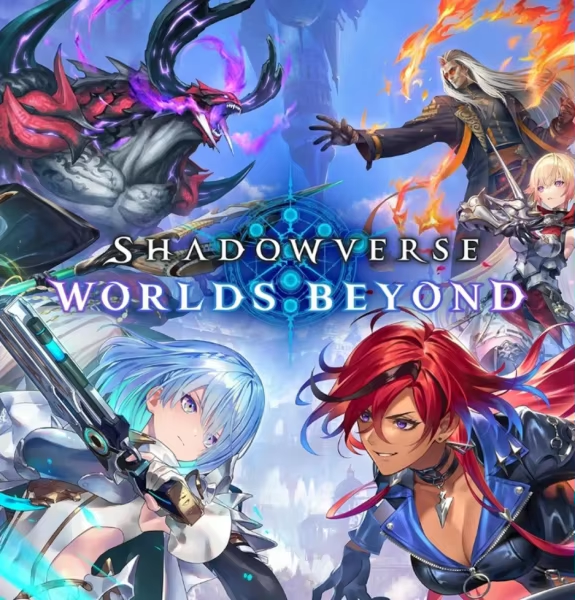
Shadowverse: Worlds Beyond
- Crystals + Eudie Leader Bundle$64.59$79.99-$15.40
- Starter Bundle$12.91$15.99-$3.08
- Deckboost Bundle$32.29$39.99-$7.70
- 60 Crystals$0.96$1.19-$0.23
- 220 Crystals$3.22$3.99-$0.77
- 450 Crystals$6.45$7.99-$1.54
- 920 Crystals$12.91$15.99-$3.08
- 1400 Crystals$19.37$23.99-$4.62
- 2350 Crystals$32.29$39.99-$7.70
- 5000 Crystals$64.59$79.99-$15.40
Shadowverse: Worlds Beyond Login Top-Up Guide
Before purchasing Shadowverse: Worlds Beyond top-up items, please prepare your login method, account information, and verification details if required. This is a login top-up service, so staying connected with support during the process can help avoid delays or failed delivery.
Supported Regions: Global Server
Important Notes
1. This Shadowverse: Worlds Beyond top-up service is processed through login top-up.
2. Supported login methods currently include Google login and one-time password login only.
3. Please provide your login method and account information accurately.
4. This login top-up service may require us to log in to your Shadowverse: Worlds Beyond account to complete the purchase.
5. A one-time password, verification code, or account confirmation may be required during the process. Please keep support chat open after payment.
6. Please do not log in to Shadowverse: Worlds Beyond during the top-up process to avoid interruptions.
7. Completed top-up items are non-refundable. Please confirm your selected product and account information before payment.
Supported Login Methods
Shadowverse: Worlds Beyond login top-up currently supports the following login methods:
- Google Login
- One-Time Password (OTP) Login
Please make sure the login method you provide is linked to the Shadowverse: Worlds Beyond account you want to top up.
Shadowverse: Worlds Beyond Top-Up Information
To process your Shadowverse: Worlds Beyond login top-up order, please prepare the following information:
Required Information
- Login Method: Google or One-Time Password
- Account Email or Login Account
- Account Password or Verification Information
Please make sure all required information is accurate. Incorrect login information or verification details may delay your order or cause failed delivery.
Your account information will only be used to process your order and will be handled carefully by our support team.
How to Top Up Shadowverse: Worlds Beyond on RushBuy.gg
1. Choose your preferred Shadowverse: Worlds Beyond top-up product.
2. Complete your payment on RushBuy.gg.
3. Contact support after payment if additional verification is needed.
4. Provide your login method and required account information.
5. If you use one-time password login, please stay available to provide the verification code when requested.
6. You may also provide your Character ID, Character Nickname, and Server Region for easier account verification.
7. Please do not log in to Shadowverse: Worlds Beyond during the top-up process.
8. Once the order is completed, our support team will notify you.
9. Log in to Shadowverse: Worlds Beyond to check your purchased items.
If you have any questions about your top-up, please contact our support team with your order number.
About Shadowverse: Worlds Beyond
Shadowverse: Worlds Beyond is a competitive digital card game featuring strategic deck building, character abilities, and online multiplayer battles. Players can collect cards, build custom decks, participate in ranked matches, and experience story-driven content.
Shadowverse: Worlds Beyond Top-Up Items
Shadowverse: Worlds Beyond top-up items may include paid currency, card packs, passes, bundles, cosmetics, or other eligible in-game products depending on the latest in-game store rules.
You may use Shadowverse: Worlds Beyond top-up items to:
- Purchase selected in-game items or bundles
- Access card packs or cosmetic content when available
- Unlock eligible offers based on the latest store rules
- Support deck building and gameplay progression
Please check the in-game store for the latest usage rules before placing your order.
Shadowverse: Worlds Beyond Login Top-Up FAQ
How long does Shadowverse: Worlds Beyond top-up take?
Processing time depends on account verification, login method, one-time password verification, and the selected product. Please stay in contact with support after payment so we can process your order as smoothly as possible.
What information is required for Shadowverse: Worlds Beyond login top-up?
You need to provide your login method and account information. Supported login methods currently include Google login and one-time password login.
Which login methods are supported?
Shadowverse: Worlds Beyond login top-up currently supports:
- Google Login
- One-Time Password (OTP) Login
What is one-time password login?
One-time password login requires a temporary verification code during the login process. Please stay available after payment in case support needs the verification code to complete your order.
Is Character ID required?
No. Character ID is optional, but providing it may help us verify the correct account more efficiently.
Why do I need to keep support chat open?
A one-time password, verification code, or account confirmation may be required during the process. Leaving support chat before completion may delay your order or cause the top-up to fail.
Can I log in to Shadowverse: Worlds Beyond during the top-up process?
We recommend not logging in during the top-up process, as simultaneous login may interrupt verification or delay order processing.
Can I get a refund after purchasing Shadowverse: Worlds Beyond top-up items?
Completed Shadowverse: Worlds Beyond top-up items are non-refundable. Please confirm your selected product and account information before completing payment.
Why Top Up Shadowverse: Worlds Beyond at RushBuy.gg?
When you top up Shadowverse: Worlds Beyond through RushBuy.gg, you can enjoy:
- Multiple Login Options: We support Google login and one-time password login methods.
- Reliable Processing: Orders are processed after successful payment and account verification.
- Secure Handling: Account information is used only to process your order and is handled carefully by our support team.
- Support Assistance: Our support team can help you verify account details, check order status, and resolve top-up issues.
- Multiple Product Options: We support selected Shadowverse: Worlds Beyond top-up products based on the latest available store options.
Top up Shadowverse: Worlds Beyond on RushBuy.gg for a convenient login top-up experience.
Shadowverse: Worlds Beyond Login Top-Up Guide
Before purchasing Shadowverse: Worlds Beyond top-up items, please prepare your login method, account information, and verification details if required. This is a login top-up service, so staying connected with support during the process can help avoid delays or failed delivery.
Supported Regions: Global Server
Important Notes
1. This Shadowverse: Worlds Beyond top-up service is processed through login top-up.
2. Supported login methods currently include Google login and one-time password login only.
3. Please provide your login method and account information accurately.
4. This login top-up service may require us to log in to your Shadowverse: Worlds Beyond account to complete the purchase.
5. A one-time password, verification code, or account confirmation may be required during the process. Please keep support chat open after payment.
6. Please do not log in to Shadowverse: Worlds Beyond during the top-up process to avoid interruptions.
7. Completed top-up items are non-refundable. Please confirm your selected product and account information before payment.
Supported Login Methods
Shadowverse: Worlds Beyond login top-up currently supports the following login methods:
- Google Login
- One-Time Password (OTP) Login
Please make sure the login method you provide is linked to the Shadowverse: Worlds Beyond account you want to top up.
Shadowverse: Worlds Beyond Top-Up Information
To process your Shadowverse: Worlds Beyond login top-up order, please prepare the following information:
Required Information
- Login Method: Google or One-Time Password
- Account Email or Login Account
- Account Password or Verification Information
Please make sure all required information is accurate. Incorrect login information or verification details may delay your order or cause failed delivery.
Your account information will only be used to process your order and will be handled carefully by our support team.
How to Top Up Shadowverse: Worlds Beyond on RushBuy.gg
1. Choose your preferred Shadowverse: Worlds Beyond top-up product.
2. Complete your payment on RushBuy.gg.
3. Contact support after payment if additional verification is needed.
4. Provide your login method and required account information.
5. If you use one-time password login, please stay available to provide the verification code when requested.
6. You may also provide your Character ID, Character Nickname, and Server Region for easier account verification.
7. Please do not log in to Shadowverse: Worlds Beyond during the top-up process.
8. Once the order is completed, our support team will notify you.
9. Log in to Shadowverse: Worlds Beyond to check your purchased items.
If you have any questions about your top-up, please contact our support team with your order number.
About Shadowverse: Worlds Beyond
Shadowverse: Worlds Beyond is a competitive digital card game featuring strategic deck building, character abilities, and online multiplayer battles. Players can collect cards, build custom decks, participate in ranked matches, and experience story-driven content.
Shadowverse: Worlds Beyond Top-Up Items
Shadowverse: Worlds Beyond top-up items may include paid currency, card packs, passes, bundles, cosmetics, or other eligible in-game products depending on the latest in-game store rules.
You may use Shadowverse: Worlds Beyond top-up items to:
- Purchase selected in-game items or bundles
- Access card packs or cosmetic content when available
- Unlock eligible offers based on the latest store rules
- Support deck building and gameplay progression
Please check the in-game store for the latest usage rules before placing your order.
Shadowverse: Worlds Beyond Login Top-Up FAQ
How long does Shadowverse: Worlds Beyond top-up take?
Processing time depends on account verification, login method, one-time password verification, and the selected product. Please stay in contact with support after payment so we can process your order as smoothly as possible.
What information is required for Shadowverse: Worlds Beyond login top-up?
You need to provide your login method and account information. Supported login methods currently include Google login and one-time password login.
Which login methods are supported?
Shadowverse: Worlds Beyond login top-up currently supports:
- Google Login
- One-Time Password (OTP) Login
What is one-time password login?
One-time password login requires a temporary verification code during the login process. Please stay available after payment in case support needs the verification code to complete your order.
Is Character ID required?
No. Character ID is optional, but providing it may help us verify the correct account more efficiently.
Why do I need to keep support chat open?
A one-time password, verification code, or account confirmation may be required during the process. Leaving support chat before completion may delay your order or cause the top-up to fail.
Can I log in to Shadowverse: Worlds Beyond during the top-up process?
We recommend not logging in during the top-up process, as simultaneous login may interrupt verification or delay order processing.
Can I get a refund after purchasing Shadowverse: Worlds Beyond top-up items?
Completed Shadowverse: Worlds Beyond top-up items are non-refundable. Please confirm your selected product and account information before completing payment.
Why Top Up Shadowverse: Worlds Beyond at RushBuy.gg?
When you top up Shadowverse: Worlds Beyond through RushBuy.gg, you can enjoy:
- Multiple Login Options: We support Google login and one-time password login methods.
- Reliable Processing: Orders are processed after successful payment and account verification.
- Secure Handling: Account information is used only to process your order and is handled carefully by our support team.
- Support Assistance: Our support team can help you verify account details, check order status, and resolve top-up issues.
- Multiple Product Options: We support selected Shadowverse: Worlds Beyond top-up products based on the latest available store options.
Top up Shadowverse: Worlds Beyond on RushBuy.gg for a convenient login top-up experience.

